First, check the library catalog. If the book appears as “Available at UMBC Library Stacks,” it cannot be requested through ILL.
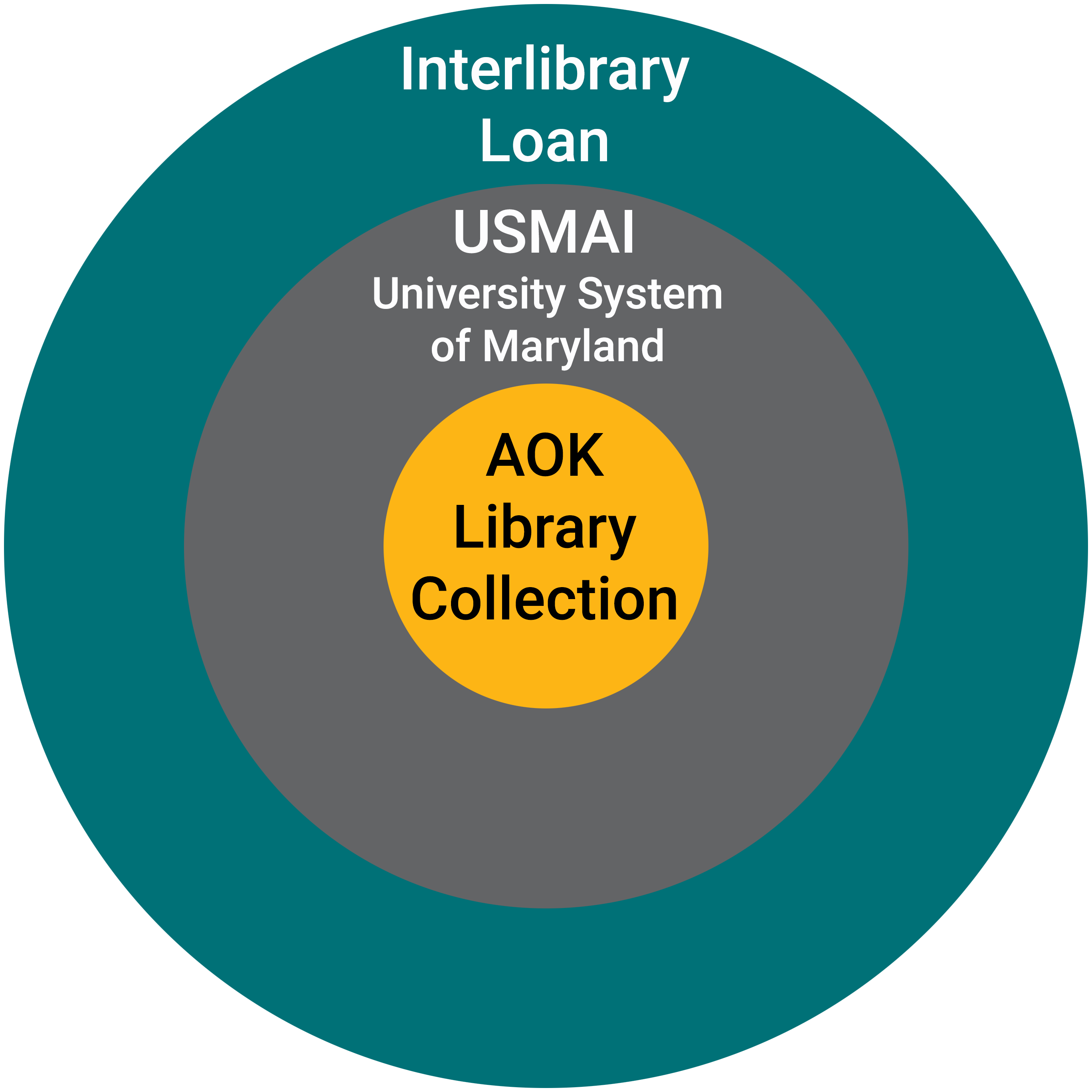
If the book is owned by another USMAI library, you can request it by clicking the Request button; if not, you can place an ILL request. Fill out the form as completely as possible and please check for errors before submitting.
Books take an average of 1-2 weeks to arrive. You will be notified by email when your book arrives, and you can pick it up at the Check Out Desk.
Articles
First, check our A-to-Z Journal List - it contains all of our print journal holdings, full-text articles in databases, and electronic journals. You'll need to search by the journal name, then navigate to the proper issue to see whether we own the article you need.
If we do not have access to the article, then place an ILL request. Fill out the form as completely as possible and please check for errors before submitting
Articles arrive quickly, usually within a few hours or days. You will be notified by email when your article is delivered electronically to your ILLiad account.
Articles delivered through ILL are to be used only by the individual requesting them. If you’re faculty and need digital copies of articles or book chapters to share with your students, please submit your request through course reserves instead.
Loan Periods
Loan periods are determined by the lending library and are subject to variation. The due date is on the attached sleeve.
ILL materials may be recalled from you at any time.
Renewals are determined by the lending library and are not guaranteed.
Some materials may be designated "Library Use Only" by the lending library.
Guidelines & Fees
ILL is available at no charge to current UMBC faculty, students and staff.
The copyright law of the United States (Title 17, United States Code) governs the making of photocopies or other reproductions of copyrighted material. Under certain conditions specified in the law, libraries and archives are authorized to furnish a photocopy or other reproduction. One of these specified conditions is that the photocopy or reproduction is not to be "used for any purpose other than private study, scholarship, or research." If a user makes a request for, or later uses, a photocopy or reproduction in excess of "fair use," that user may be liable for copyright infringement. This institution reserves the right to refuse to accept a copying order if, in its judgment, fulfillment of the order would involve violation of copyright law.
For comprehensive information, see the Copyright & Fair Use site maintained by Stanford University Libraries.
Search for the item you want to request in the AOK OneSearch box and click "Search."
Filter the results on the next page as necessary using the tabs below the search bar or in the "Refine your results" section on the left. Example: If you are looking for a book, click the "Books" tab.
Click on the item title or listing. Example: The clickable text will usually have wording such as “Check for available services,” “Available at UMBC Library Stacks,” “Available Online,” etc.
Once you are on the item page, check for local availability either at UMBC or in the USMAI (University System of Maryland & Affiliated Universities) before placing an ILL request.
Note: If you are not already signed in, you may be asked to do so. You will need to click "Sign In" then "Login with UMBC SSO." (The "SSO" stands for "single sign-on;" this is the username/password you use to log in to your myUMBC account.) If you are logging in from a new device, you may be asked to verify via Duo on your personal device.
If you click the "Request from USMAI" or "Request from UMBC" buttons and the item shows "Item Available for Request," fill out the form and click "Send Request." (This will request the book from UMBC or USMAI for you instead.)
If you click the "Request from USMAI" button and the item shows "No USMAI items available to request," click the "Back" or "Back to Items" button above the form and place a request through ILLiad by clicking "ILLiad book request."
The "ILLiad book request" button will take you to the Interlibrary Loan page with a request form to fill out. Please fill out the form as completely as possible; providing a full citation helps our staff process your request in a timely manner.
When you have filled out the request form, click "Submit Request."
Through UMBC Interlibrary Loan Website (ILLiad)
Go to the UMBC Interlibrary Loan Service website.
Click on the "Log In to ILLiad" button. This will redirect you to the next Interlibrary Loan page.
Click on the "New Requests" tab to access the dropdown menu. Click on the item type that best matches your request. Ex. If you are requesting an article from a journal, click on "Article."
This will take you to the Interlibrary Loan page with a request form to fill out. Please fill out the form as completely as possible; providing a full citation helps our staff process your request in a timely manner.
When you have filled out the request form, click "Submit Request."
Please Note: Prioritize placing requests through UMBC or USMAI (University System of Maryland & Affiliated Universities) before placing ILL requests. If you click the "Request from USMAI” or “Request from UMBC” buttons in the library catalog and the item shows “No USMAI items available to request,” then click on “ILLiad book request” to place a request instead.
Please bear in mind that ebooks are not requestable.
If you request an article or book chapter, please make sure to save/download the file once it is sent to you, as it will expire in your account after 30 days and we are often unable to resend articles, due to copyright.
FAQs
How can I get books that aren't listed in the library catalog? See how to place an ILL request or watch the video above: "How to Place an Interlibrary Loan (ILL) Request video tutorial"
What is ILLiad? ILLiad is the electronic system you use to request an item through Interlibrary Loan. The name ILLiad can be thought of as an acronym for “InterLibrary Loan internet accessible database.”
What types of materials can I request through Interlibrary Loan? You can request:
books
book chapters
journal articles
items on microfilm
DVDs and CDs
and many other types of materials
Can I request an ebook? Unfortunately, ebooks are not eligible for Interlibrary Loan. Please see the Items Not Available Through ILL section of our website.
Is there a limit to how many requests I can place at a time? Am I restricted to the number of ILL books I can have checked out at a time? In general, there is no limit to how many requests you can place at a time. However, please try to keep your requests to a reasonable amount. If you place a large volume of requests in a short period of time, it will likely take longer to process your requests. You are not restricted to a number of ILL books you can have checked out at a time. If you have a large number of books checked out, please ensure to keep track and return your books by their due dates.
Is there a limit to how many chapters I can request per title? Due to copyright restrictions, we are limited to one chapter or 20% of the book. As such, please prioritize your requests.
How long will it take for my ILL item to arrive? This will depend on when the book was requested, shipped, and where it is coming from. In general, books take an average of 1-2 weeks to arrive. You will be notified by email when your book arrives, and you can pick it up at the Check Out Desk. Journal articles are usually delivered electronically within 3 business days. Rare or hard-to-find materials may take longer, and some may not be available through Interlibrary Loan.
How much does Interlibrary Loan cost? There is no charge to current UMBC faculty, staff, and students for this service. Borrowing charges are paid by the Albin O. Kuhn Library. Overdue or lost materials, however, are subject to fines and other fees charged by the lending institution, which will be passed on to the requestor.
Where do I pick up my Interlibrary Loan items? Books can be picked up at the Check Out desk in the Albin O. Kuhn Library. Some books may be designated "Library Use Only" by the lending library, so patrons can use the materials only during library open hours, and must return them to the Check Out desk before leaving. Failure to follow this directive will lead to suspension or denial of Interlibrary Loan privileges. Microfilm, which is always Library Use Only, can be picked up at the Check Out desk and used on the second floor, where there are microfilm readers and printers. Microfilm should always be returned to the Check Out desk. Articles are made available to patrons electronically through their ILLiad (Interlibrary Loan) accounts, where they will reside for 60 days and then be deleted. Patrons are encouraged to download articles to avoid losing them after the 60 day expiration.
How do I place a renewal? Go to your ILLiad account and find the item under “Checked Out Items.” If renewals are allowed, you will see a “renew” button that you can click to renew the item. If you do not see a “renew” button, you can reach out to our department at illcm@umbc.edu or 410-455-2234 to see if our staff can request a renewal from the lending library for you.
What happens if I return my book(s) late? There are no longer any late fees associated with overdue ILL books. However, please note that the biggest issue with returning books late is maintaining a healthy relationship with the libraries that are lending their books to us. Jeopardizing our privileges by not adhering to due dates could mean that we are potentially blocked from borrowing from that library in the future, which affects everyone's ability to get the research materials they need. Please make sure to return your books on time. If you cannot do so, please reach out to us at illcm@umbc.edu or 410-455-2234.
What happens if I lose my book? You will be responsible for the amount of the invoice for the lost book that we receive from the lending library.
What happens if I lose the bookstrap on the book? Bookstraps must remain on books checked out. These bookstraps hold valuable information that helps us identify and keep track of the lending library for us to return the item to the lender accurately. If you lose the bookstrap, there is a $5 fee per lost bookstrap.
I am a Shady Grove student. Is it possible to have my ILL book(s) delivered to the Priddy Library at the Shady Grove Campus? Yes it is! You must be registered as a Shady Grove patron in the profile tab of your ILL account under "status". When you create a request for a physical item, it is helpful to us if you include a message in the notes field where you confirm your preference for delivery location. Example: "Please deliver my materials to the Shady Grove Campus, Priddy Library".
I am not a current UMBC student - can I use Interlibrary Loan? Unfortunately not. ILL is also not available to Special Borrowers or alumni per Interlibrary Loan guidelines. All non-UMBC users should contact their local public library, workplace library, or other appropriate institution for Interlibrary Loan service.
Contact Us
The ILL Office is open Monday thru Friday from 8:00 am - 4:00 pm. Phone: (410) 455-2234. Email: illcm@umbc.edu.